
App Store guide · · 6 min read
App Store rejection reasons for games, and how to reply
The App Review guidelines a game hits most: 2.1, 2.3, 3.1.1, 4.3 and 5.1. What the message means, how to fix it, when to reply and when to appeal.
Why do games get rejected from the App Store?
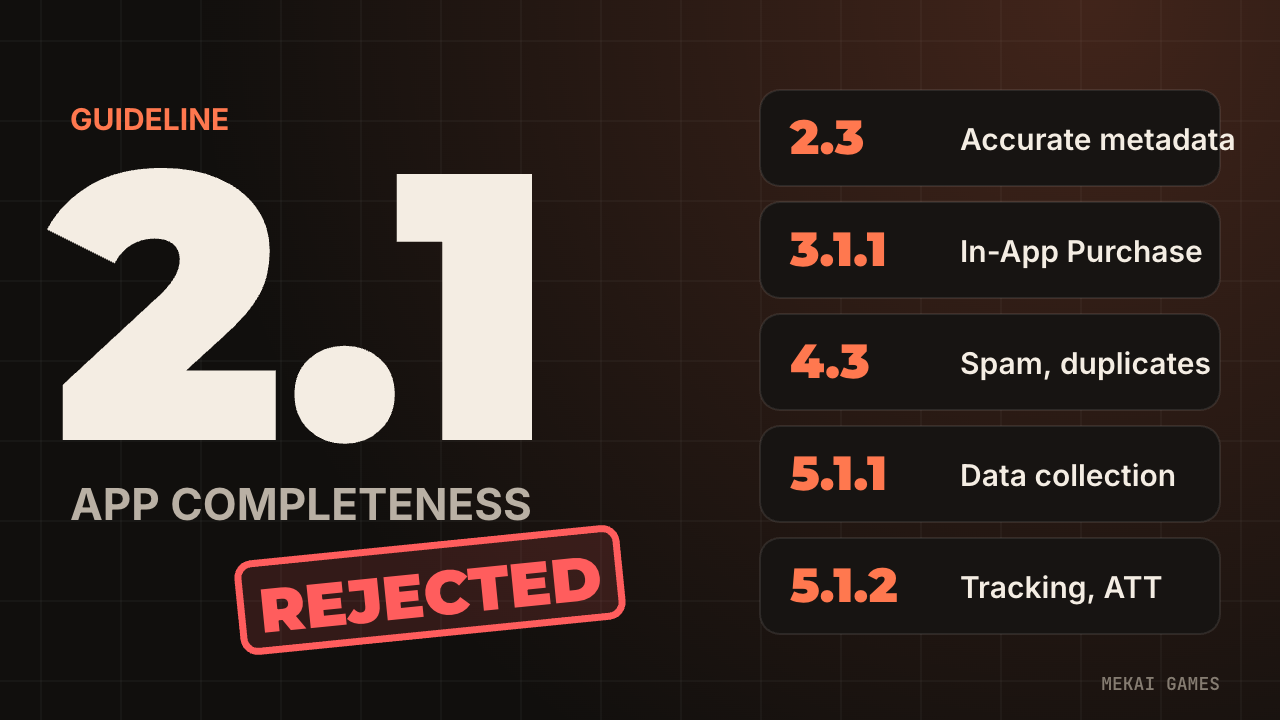
Mostly for guideline 2.1, App Completeness: the reviewer hit a crash, a placeholder, a dead link, or could not find something your metadata promised. After that come misleading store pages (2.3), purchase rules (3.1.1), duplicate apps (4.3) and privacy (5.1). Apple does not publish rejection statistics, so this order comes from Apple's own list of common reasons and from what we hit ourselves, not from a count.
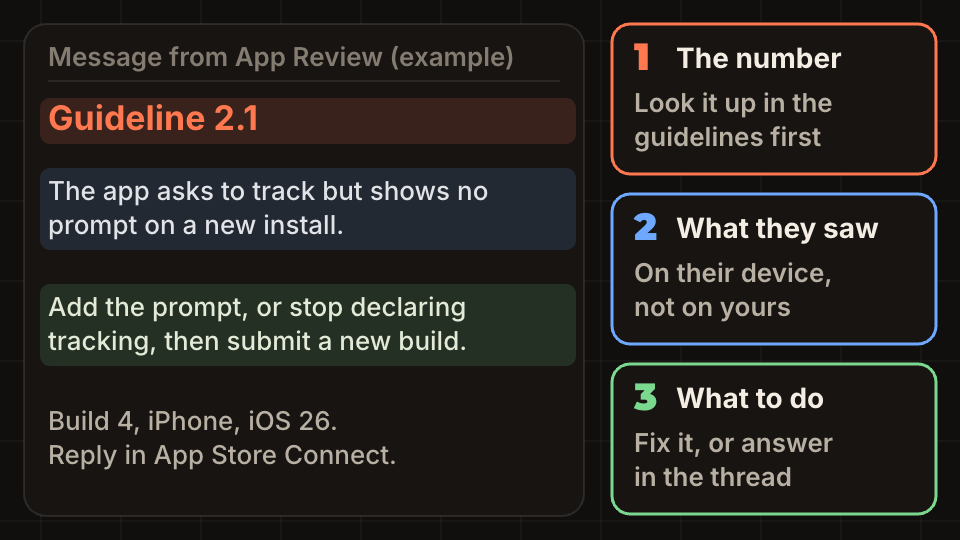
We know two rejections first hand. Burger Stack build 3 came back as an Invalid Binary with ITMS-91064, which is a technical check before review, and build 4 was rejected under 2.1 because the app said it tracks but no tracking prompt appeared for the reviewer. Both are in the ITMS-91064 write-up. The numbers below are from the App Review Guidelines as updated on 16 October 2026.
What does guideline 2.1 mean for a game?
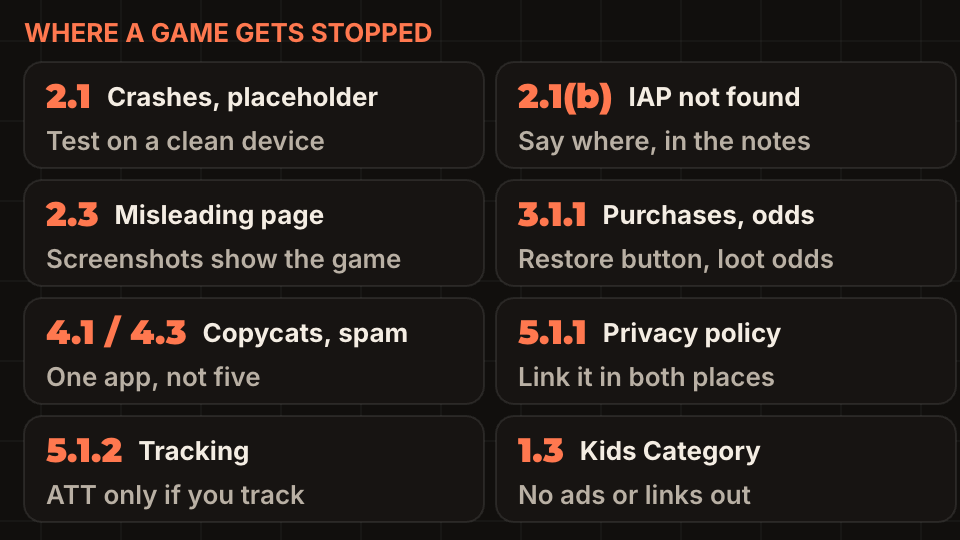
It asks for a final, working build with complete metadata and links that work, tested on a device. Apps that crash or show obvious technical problems are rejected. That covers more than crashes: placeholder text in a menu, a Settings button that does nothing, a privacy link that returns 404.
Part (b) is the one games trip over. In-app purchases must be complete, visible to the reviewer and functional, and if a purchase cannot be found in the app, you must say why in the review notes. A purchase offered at level 30 is invisible to someone who plays for five minutes, so write where it is and how to reach it. More on setup in the in-app purchase guide.
If the game needs sign-in, give a demo account that does not expire and keep the server up. Guideline 2.1 also allows a built-in demo mode, but only with Apple's approval first.
Metadata and copycat rejections: 2.3, 4.1, 4.2 and 4.3
Guideline 2.3.3 wants screenshots that show the app in use, not only title art, a login page or a splash screen. Text and image overlays on top are allowed, so a caption over real gameplay is fine. 2.3.7 asks for a unique name and accurate keywords: no trademarks, no popular app names, and the name cannot be longer than 30 characters. Details in screenshots, keywords and ASO.
Guideline 4.3(a) forbids creating several bundle IDs for the same app: ship one app and sell variants as in-app purchases. 4.3(b) targets apps that are indistinguishable from existing ones, and names categories where Apple sees many near-copies, such as flashlight, wallpaper and simple timer apps. Treat a reskinned template game as the same risk. 4.1 says to create your own ideas and not use another developer's icon, brand or name.
Guideline 4.2 rejects apps that are little more than a repackaged website or a link collection. A real game is rarely in danger, but a one-screen prototype can be.
Purchases, ads and kids: 3.1.1, 2.5.18 and 1.3
Guideline 3.1.1 says digital content and features are sold with in-app purchase, not license keys or QR codes. It requires a way to restore purchases that can be restored, and in-game credits and currency must not expire. If you sell loot boxes or other randomized items, the odds of each item type must be shown before purchase.
Ads have their own rules in 2.5.18: ads stay in the main binary, must suit the age rating, interstitials must be clearly marked and have a large close button, and users need a way to report inappropriate ads.
The Kids Category (1.3) is stricter. No links out and no purchases unless behind a parental gate, no personal or device information sent to third parties, and generally no third-party ads or analytics. Do not pick Kids because the art is cartoony: pick it only if you are ready for those limits.
Privacy rejections: 5.1.1 and 5.1.2
Guideline 5.1.1(i) requires a privacy policy linked in App Store Connect and reachable inside the app. It has to say what you collect, how you use it, who you share it with, how long you keep it and how someone can ask for deletion. 5.1.1(ii) asks for consent before collecting data, even anonymous data.
Guideline 5.1.2(i) is the ATT rule: you need permission through the App Tracking Transparency framework before tracking. That is what stopped our build 4. The simple way out is not to track and to say so everywhere: the binary, the App Privacy answers and the policy. If you do track, the prompt has to appear on a fresh install wherever the reviewer lives.
If the app lets people create an account, 5.1.1(v) requires account deletion inside the app.
How do you reply to a rejection?
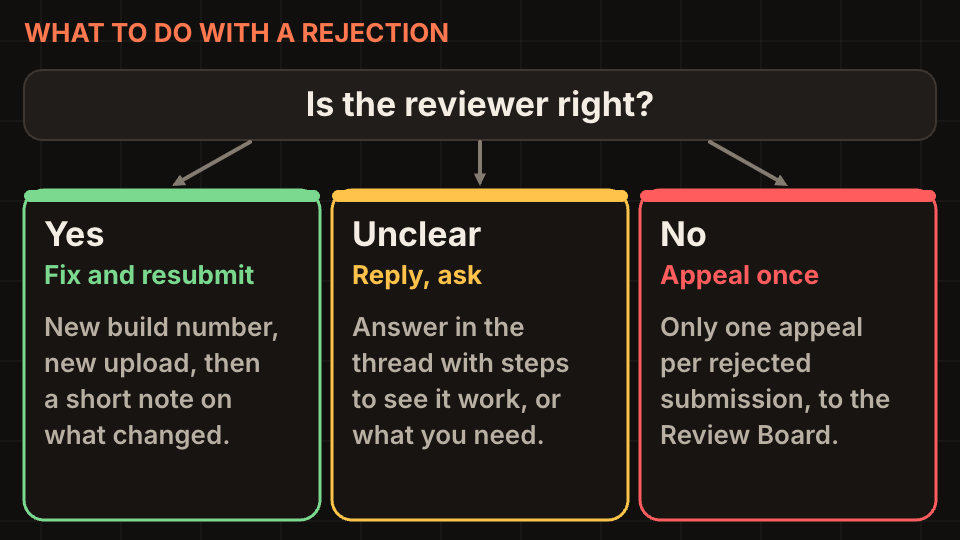
Read the guideline number first, then what the reviewer saw. Messages arrive in App Store Connect, and Rejected is sent to users with the Admin, App Manager or Developer role. If you agree, fix it, upload a new build and say in one or two sentences what changed. If you do not understand it, reply in the thread with what you need: reviewers test on their own device and in their own region.
Appeal only when you think App Review misunderstood what the game does. Apple allows one appeal per rejected submission, to the App Review Board, and it should explain why the app complies. Repeated rejections for the same issue and trying to manipulate review make it slower, according to the guidelines.
Two useful exceptions: bug fixes for an app already on the store are not delayed over guideline issues, except for legal or safety problems, and a critical bug fix can ask for an expedited review with steps to reproduce the bug.
How do you read a rejection message?
Three parts matter, and they are the same in every message: the guideline, what was found, and what Apple wants next. The message below is an example we wrote, not Apple's text.
Pre-submission checklist
Run this before every upload. It is short on purpose, and the first submission checklist has the rest.
- Fresh install on a real device: play from first launch, open every menu.
- No placeholder text, working support and privacy links, privacy policy also inside the app.
- Every purchase listed in the review notes with where to find it, and a Restore purchases button.
- Screenshots show real gameplay, the name is under 30 characters and no trademarks in keywords.
- Tracking decision is the same in the binary, App Privacy and the policy.
- A demo account that does not expire, if there is sign-in.
- Beta test the exact build first: TestFlight guide.
Questions people ask
- Can I appeal an App Store rejection?
- Yes, once per rejected submission, to the App Review Board. Explain specifically why the app complies with the guidelines and answer any open questions from App Review first.
- Does a rejection hurt my developer account?
- Apple's documents describe rejections as part of normal review. Repeated rejections for the same violation and attempts to manipulate review can slow down your reviews.
- What is the difference between Rejected and Invalid Binary?
- Invalid Binary means the build did not meet technical requirements, and the reason comes by email to the account holder. Rejected means App Review looked at the app and found a guideline problem.