
Game dev guide · · 6 min read
How to make your first video game: a 6 week plan with time boxes
A plan from idea to release in six weeks and about 60 hours: what to build each week, what finished means, which engine to pick and what release costs.
How do you make your first video game?
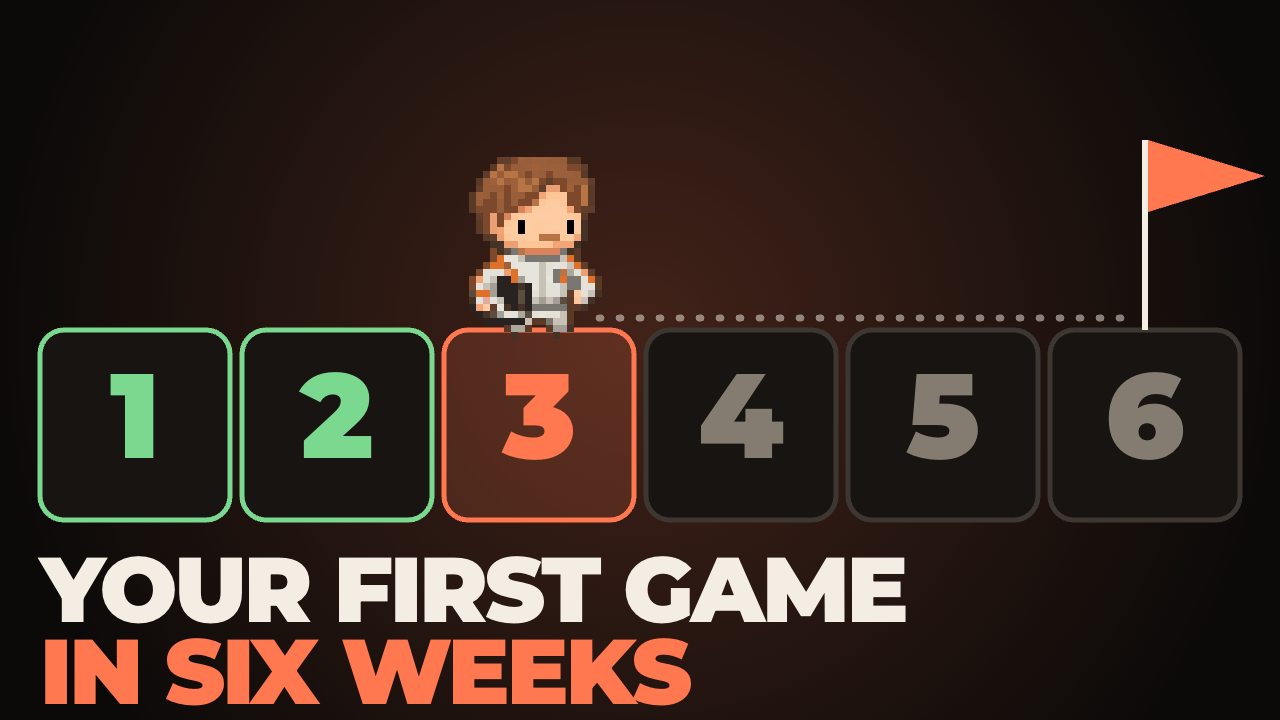
Make a very small game in six weeks, about 10 hours a week, and give each week one thing it must end with: a build you exported, a mechanic that is fun with plain boxes, a full loop, content, polish, a release. A game with one mechanic and one screen of rules that someone else can finish is worth more than a big idea you never release.
The plan below is built on that rule. Hours are a budget, not a promise: if you have 5 hours a week, the plan takes 12 weeks and every other number stays the same. We use Godot 4 for our iPhone games, so the examples use it, but nothing here depends on the engine.

What counts as a finished game?
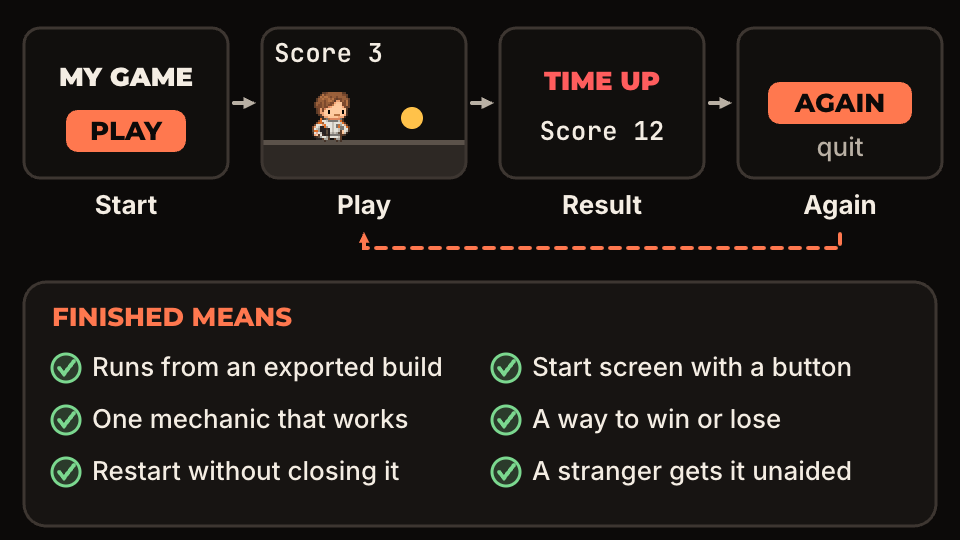
A finished game is one a stranger can start, play to a result, restart, and quit, from a build you exported, without asking you anything. That is the whole list. It does not need levels, saves, achievements or a second mode.
The reason to write it down is that you will be tempted to move the line. Every week there is a new feature that feels necessary. A fixed definition gives you something to compare it against: if it is not on the list, it waits until after release.
The last check is the hardest one. Watch someone play with your mouth closed. If they get stuck on the start screen, the game is not finished, even if every other box is ticked. There is a longer guide on how to run a playtest.
Which engine should you use for a first game?
Use the one whose official beginner tutorial you can finish this week. For 2D, Godot is a good default: it is released under the MIT license, so there are no fees or royalties, and its Dodge the Creeps tutorial walks through a complete small game in seven steps, from project setup to the finished HUD.
Finish the whole tutorial, even the parts that seem too simple. You are not learning that game. You are learning where scenes, scripts and the export menu are, and that takes about a week.
Do not switch engines in week 3 because another one looks better. Switching resets the learning you just paid for, and it is one of the most common ways a first project stalls. Make the game, then try the other engine on the next one.
What do you do in weeks 1, 2 and 3?
Week 1 is the tutorial plus one export. Open the export menu, add a preset for your own computer, install the export templates when Godot asks, and run the result. Export now, not in week 6: the first export always turns up a surprise, and you want it while nothing depends on it.
Week 2 is the core mechanic with plain boxes and no art, no menu and no sound. A jump, a throw, a swap, a stack: whatever the game is about. At the end of the week, answer one question: is this fun for 30 seconds? If not, change the mechanic now, while it costs 10 hours. Controls matter more than you expect, and coyote time and jump buffering show how a few frames change how a jump feels.
Week 3 is the loop: a start screen, the game, a way to lose or win, and restart. Everything is ugly and everything works. Before you begin, write the design on one page using a one-page game design document, and write the cut list from how to scope a game you can finish. Those two pages are what you check against in weeks 4 and 5.
How do the hours add up, and when do you stop and decide?
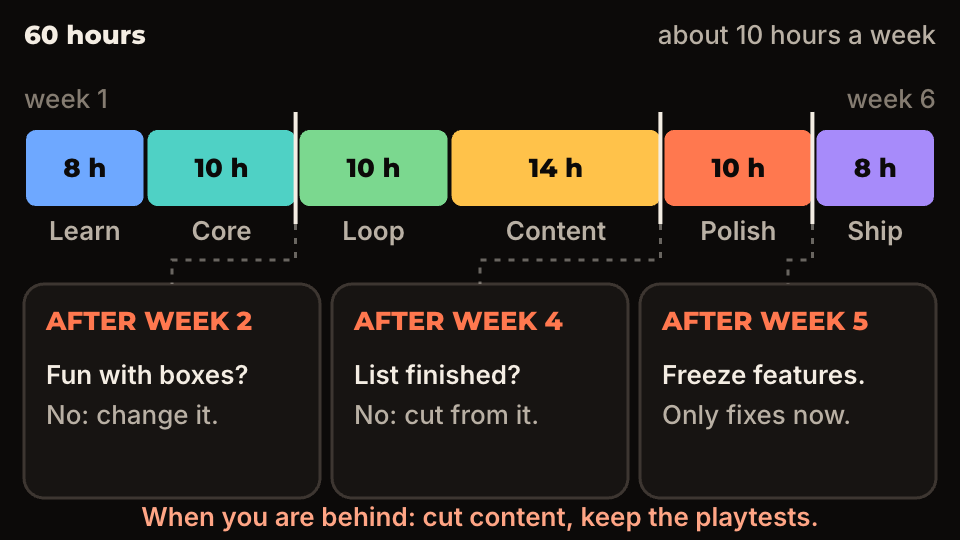
The budget is 8, 10, 10, 14, 10 and 8 hours, which makes 60. Content gets the most because it is where the list grows. Learning and shipping get the least, but they are also where people lose time by doing too little: no export until the end, no playtest until after release.
Three points have a rule attached. After week 2, if the mechanic is not fun with boxes, change it. After week 4, if the content list is not done, cut from the list instead of extending the schedule. After week 5, freeze features: from there only fixes go in. When you are behind, cut content and keep the playtests.
What are weeks 4, 5 and 6?
Week 4 adds the content on the list: levels, enemies, items. Add nothing that is not there. Small asset packs save a lot of hours here, so buy or find placeholder art that matches instead of drawing everything: ours are in Robot Series, and other creators sell packs too. Check the license before you ship.
Week 5 is polish: sound, a menu, an icon, a title, and the small feedback that makes actions feel good. The game feel checklist lists the effects with numbers. Freeze features on day one of this week.
Week 6 is three playtests, fixes, and the store page. Write the page text the day before you publish, not the same day. Take screenshots from the real build.
Where do you release it, and what does it cost?
For a first game, release on itch.io. As of November 2026 its documentation says it costs nothing to use, and you can create a page and upload a build without paying. For a browser build, see exporting a Godot 4 game to the web for itch.io.
The big stores charge to open the door. As of November 2026: Steam charges a $100 fee per new app, which can be recouped once the game has $1,000 in adjusted gross revenue; Apple's developer program is $99 per year; Google Play has a one-time $25 registration fee. Steam is covered in publishing an indie game on Steam.
You do not have to decide this in week 1. Put the first game on itch.io, learn from the people who play it, and pay a store fee for the second or third one.
Questions people ask
- How long does it take to make a first video game?
- About 60 hours for a very small game, which is 6 weeks at 10 hours a week. Expect it to run over. That is why the plan has a cut list and three points where you decide what to drop.
- Do you need to know how to code first?
- No, but you need to be willing to learn as you go. Do the engine tutorial in week 1 and keep the first game small enough that you only need variables, conditions and functions.
- What should the first game be about?
- Pick a game you could explain in one sentence and that has one mechanic: dodge, stack, match, jump. If the sentence needs the word "and" more than once, cut it down.